One project, five AIs, zero chaos
Mix chats from all your AIs in the same folder. Every answer for a project stays in one place, no matter which AI gave it.
Every day you create knowledge in ChatGPT, Claude, Gemini and more.
Tidy turns it into one unified library you’ll actually return to: a single folder system across all your AIs, with text highlights that jump you straight back to the exact answer.
Start Free · Your chats stay yours
Mix chats from all your AIs in the same folder. Every answer for a project stays in one place, no matter which AI gave it.
Group all prompts, drafts and feedback for a project in one folder and highlight key answers you actually ship.
Save your best-performing prompts in a folder, so you can reuse them in seconds instead of reinventing them.
Save the article or docs page right next to the chat it belongs to, instead of piecing a project together from browser bookmarks on one side and AI chats on the other.
Mark the most important findings in long research chats, so you can jump back to key facts without rereading everything.
Highlight the answer that finally fixed your bug in a long debugging chat, so you can jump straight back when it breaks again.
Collect pitch drafts, name ideas and positioning in one folder, then highlight the concepts worth chasing.
Create folders for topics like “Python basics” or “Marketing 101” and highlight explanations you want to revisit while you learn.
Let AI write variants for outreach, support or sales, then save the winning drafts and reuse them instead of starting from scratch.
Use folders for “New laptop”, “Holiday planning” or “Tools to buy” and highlight the final shortlists or recommendations.
Features
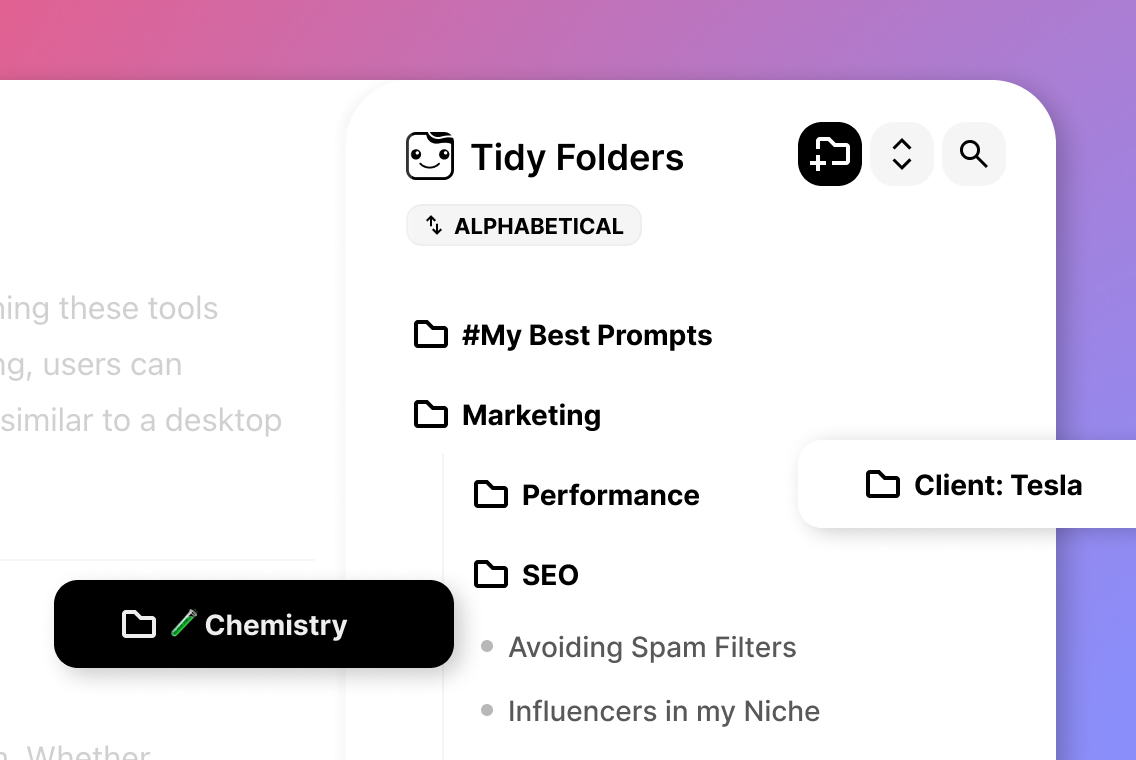
Bring out your inner Marie Kondo to order your unstructured chat history with folders and subfolders any way you like. Drag chats in, nest subfolders, reorder anytime: your history finally works like a file system.
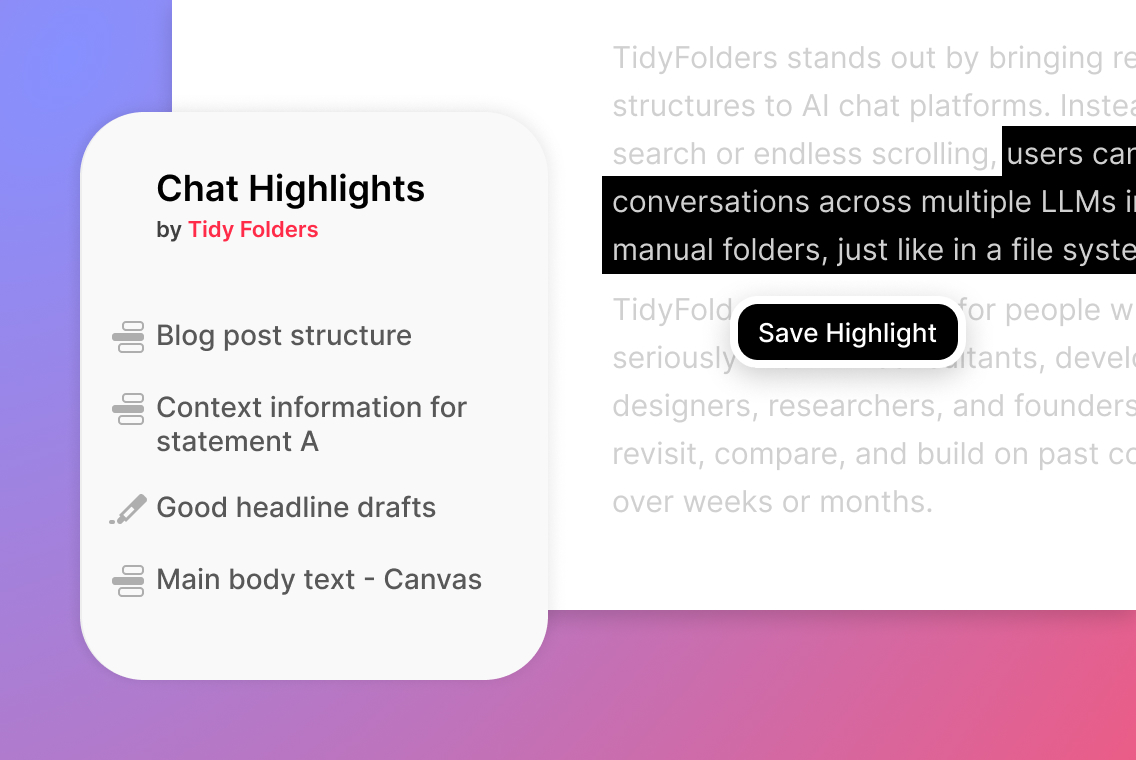
Visually highlight text or whole replies, and every highlight becomes a link: one click takes you back to the exact spot, even in a 200-message chat. You can even collect your highlights in folders of their own.
Tidy works across ChatGPT, Claude, Gemini, DeepSeek and Grok: mix chats from different AIs in one shared folder structure and turn five cluttered histories into a single tidy library.
ChatGPTClaudeGeminiDeepSeekGrokmore coming


Save any web page straight into the same folders. The article that kicked off a project, the docs you keep reopening, the pricing page you compared — right next to the chats they belong to.
Unlimited on every plan, including the free Starter plan.
Switch devices anytime: folders and highlights follow you.
No extra windows. Tidy lives right inside your AI chats and feels built-in.
Sort single chats or whole projects: everything for a client in one place.
Start free. Push productivity even further with Pro.
No hidden fees. Cancel anytime.

Starter
Free
Try it.
Pro
$3 / Month
Billed yearly.
More questions or feedback?
Send us a messageProduct
Tidy Folders is a browser extension that helps you organize AI chat conversations into folders, visually highlight important text and replies with quick anchor links for long-term reuse.
Folders and subfolders let you structure your chats any way you like: by project, client or topic. Conversations from ChatGPT, Claude, Gemini, DeepSeek and Grok can sit side by side in the same folder, so one structure covers all your AI work.
Highlights let you mark specific text or entire replies and turn them into anchor links. You jump straight to the important part of a long conversation, marked passages stay visually emphasized, and highlights can be collected in folders of their own.
Bookmarks let you save web links in the same folders, right next to the chats they belong to, so the source article or docs page no longer lives in a separate browser list.
Yes. All existing chats can be reorganized into folders and enhanced with highlights afterward.
Yes. Alongside your chats and highlights, you can save any web link as a bookmark in the same folder structure. A project folder can hold the ChatGPT conversation, the highlighted answer and the source article side by side, instead of spreading them across your AI history and your browser bookmarks.
Bookmarks are unlimited on every plan, including the free Starter plan.
Tidy Folders supports ChatGPT, Claude, Gemini, DeepSeek and Grok, and you can mix them all in one folder structure. Additional AI chat interfaces are on the roadmap.
Tidy Folders runs in Chrome, Brave, Edge, Safari and Firefox. The install button on this page detects your browser and takes you straight to the right store; Brave uses the Chrome Web Store listing.
No setup needed. Install the extension, open any supported AI chat, and Tidy appears right inside the interface. Start creating folders immediately.
Tidy is a browser extension, so your folders and highlights live on the desktop. But the chats you have on the go don’t have to be lost: simply add xx to the title of any mobile conversation you want to file later.
Back at your computer, Tidy surfaces those marked chats right away, ready to be sorted into the right folder in seconds. Nothing important slips through just because you were away from your desk.
Plans & Data
No. It does not read, store, or transmit login data at any time.
Yes. Tidy Folders does not read or store your full chat conversations and does not transmit them to external servers.
When you create a text highlight, the selected text and its title are stored intentionally by you to enable highlighting and sync across devices. This data is saved only for this purpose and never used for analysis or tracking.
The same applies to bookmarks: when you save a web link, the link and its title are stored so your bookmarks can sync across devices. As with highlights, this data exists only for that purpose and is never used for analysis or tracking.
Yes. Tidy keeps your folders and highlights in sync, so your structure is restored after a reinstall or when you switch devices.
Yes, Tidy Folders is available for free. Additional features are available with a paid plan.
Yes. We offer bulk and team licensing options for companies. Please contact us under [email protected] to discuss your requirements and pricing.
For Businesses
Estimated value reclaimed
$310–$480 / year / user
Gross salary plus employer contributions. Assumes 160 working hours per month and a conservative 5% efficiency gain.
Free for every team member. Pro upgrades optional.
Where the number comes from
The baseline
ChatGPT Enterprise users already save 3–5 hours per week, heavy users over 10, according to OpenAI’s State of Enterprise AI 2025 report.
The Tidy effect
Less searching, scrolling and duplicate chats: even a conservative 5% efficiency gain reclaims roughly 45–70 minutes per user, every month.
The bottom line
At what a knowledge worker actually costs, that adds up to hundreds of dollars in reclaimed working time per user, every year. Run your own numbers in the calculator. For higher salaries and heavier AI use, the value scales accordingly.